
Getting started
GridFlow documentation
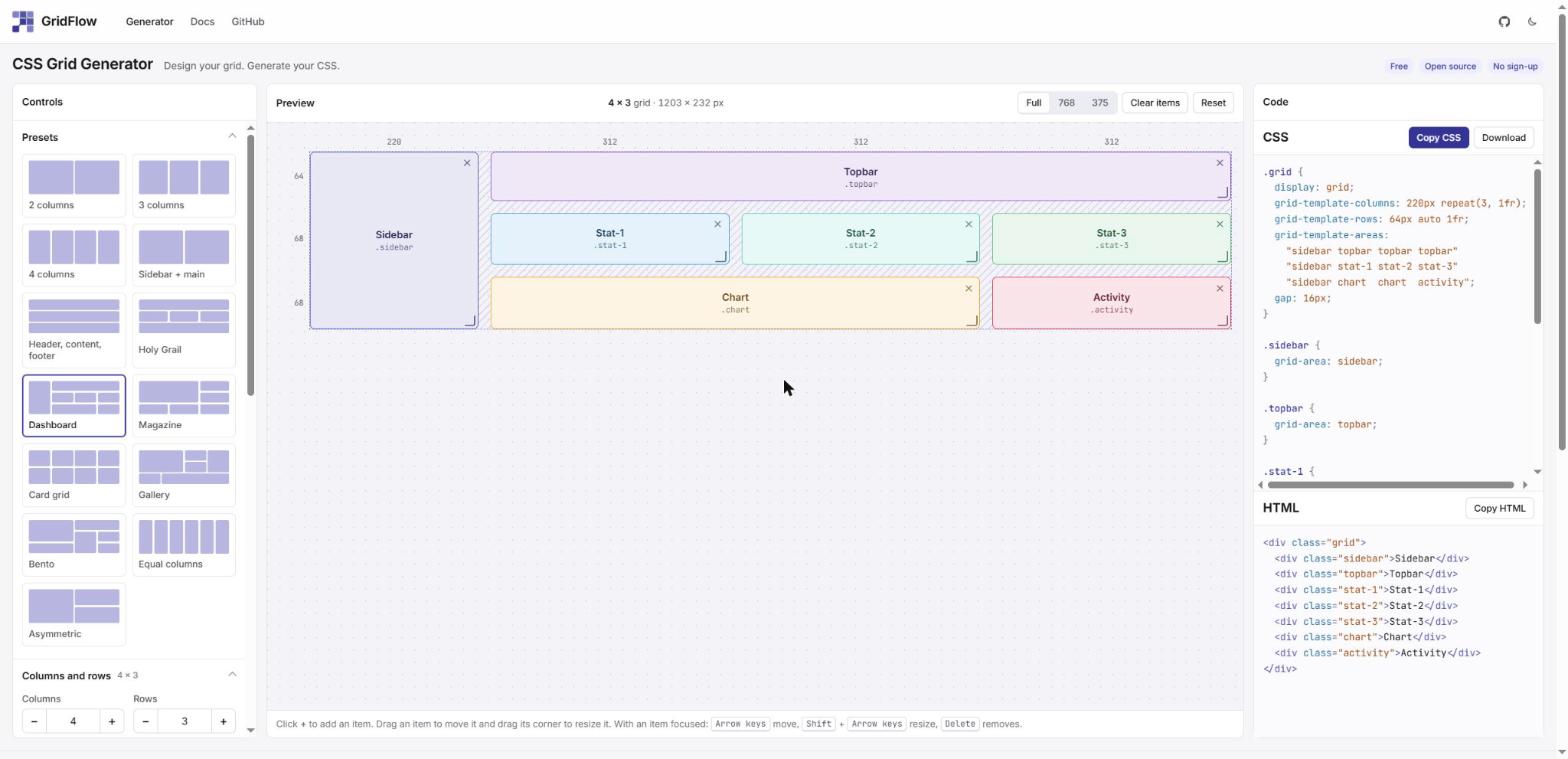
GridFlow is a free, visual CSS Grid generator. You design the layout by clicking and dragging, and it writes clean CSS and HTML that match the preview exactly.
What you can do #
- Set up to 12 columns and 12 rows, each with its own size:
fr,px,%,auto,minmax()and more. - Add items, then drag them to move and drag the corner to resize, or type exact grid lines.
- Name items and switch on template areas to get
grid-template-areas. - Control gaps, alignment, container size and auto placement.
- Start from one of 13 presets, such as Holy Grail, Dashboard and Bento.
- Copy the CSS and HTML, or download both as one ready-to-open file.
Everything runs in your browser. There is no account, no sign-up and no tracking.
Start here #
Quick startBuild and export your first layout in about two minutes.
The workspaceWhat each panel does and how they work together.
Working with itemsAdd, move, resize, name and fine-tune items.
Exporting codeWhat the generated CSS looks like and how to use it.
How the docs are organised #
Getting started covers the basics. Building a grid explains each group of controls in the order they appear in the app. Code and presets covers starting points and output. Reference lists keyboard shortcuts, answers to common problems and the privacy policy.
Use the Next link at the bottom of each page to read the docs in order.